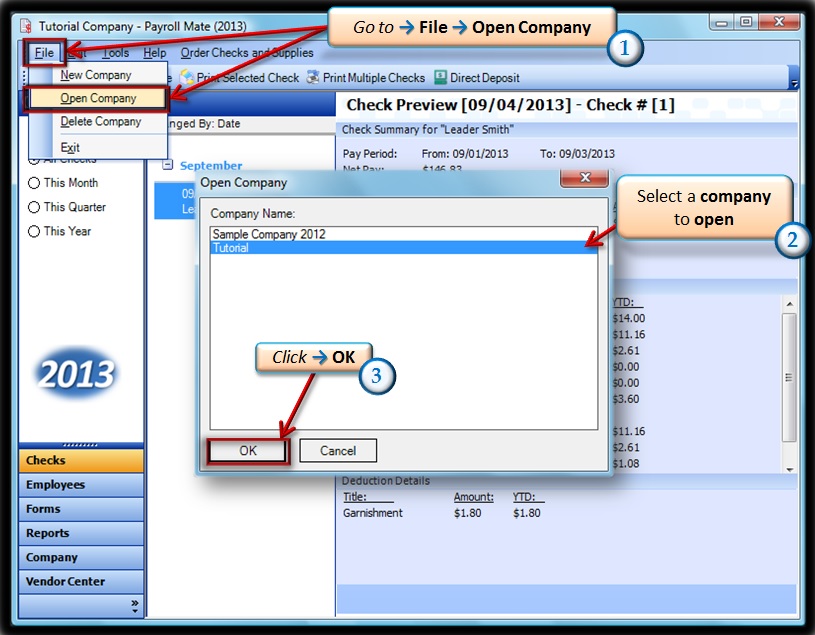
- Go to File→ Open Company.
- Choose your company.
- Click→ OK.
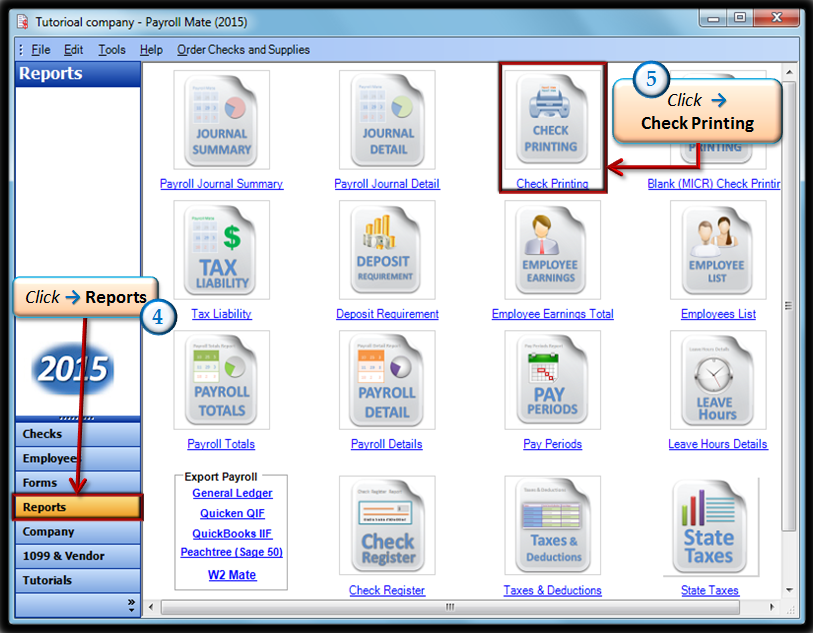
- Click on the Reports tabs in the bottom left corner.
- Click → “Check Printing”.
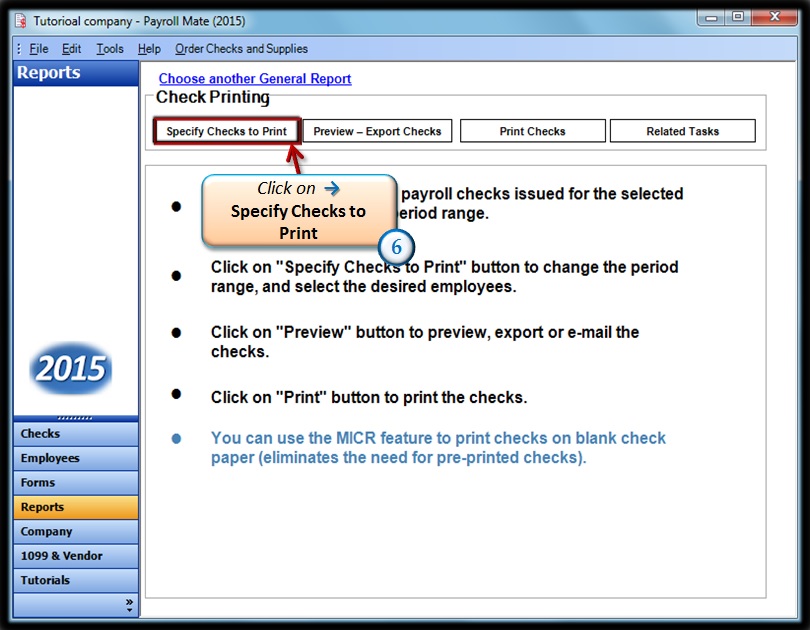
- Click on “Specify Checks to Print”.
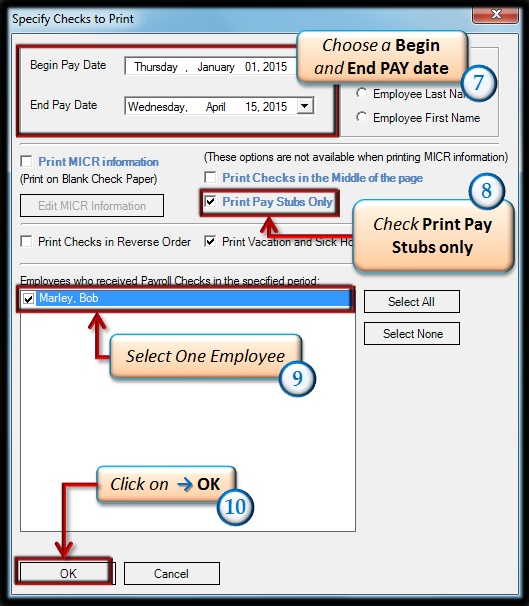
- Choose a Begin and End PAY DATE for the Paystub.
- Check the box “Print Pay Stubs Only”.
- Select ONLY ONE employee to print out a paystub for.
- Click on the OK button on the bottom left corner.
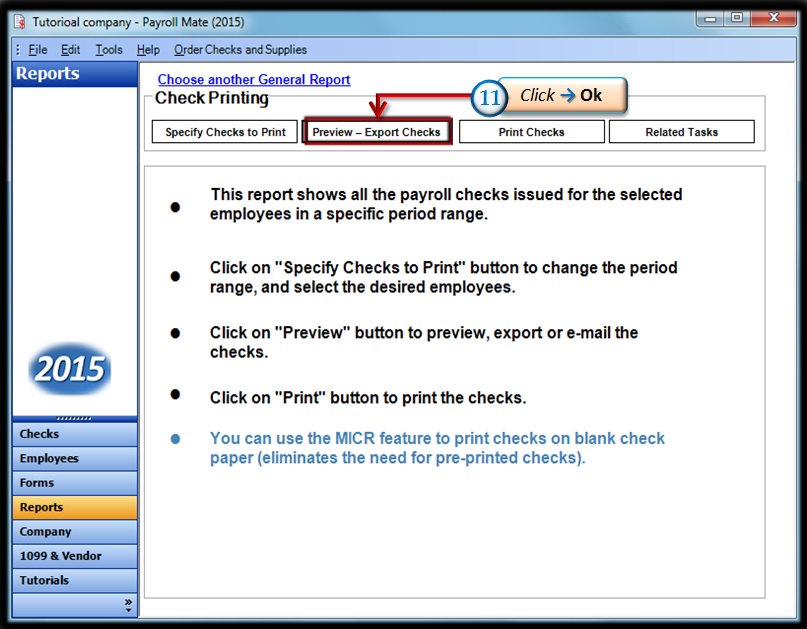
- Now Click on “Preview-Export Checks”.
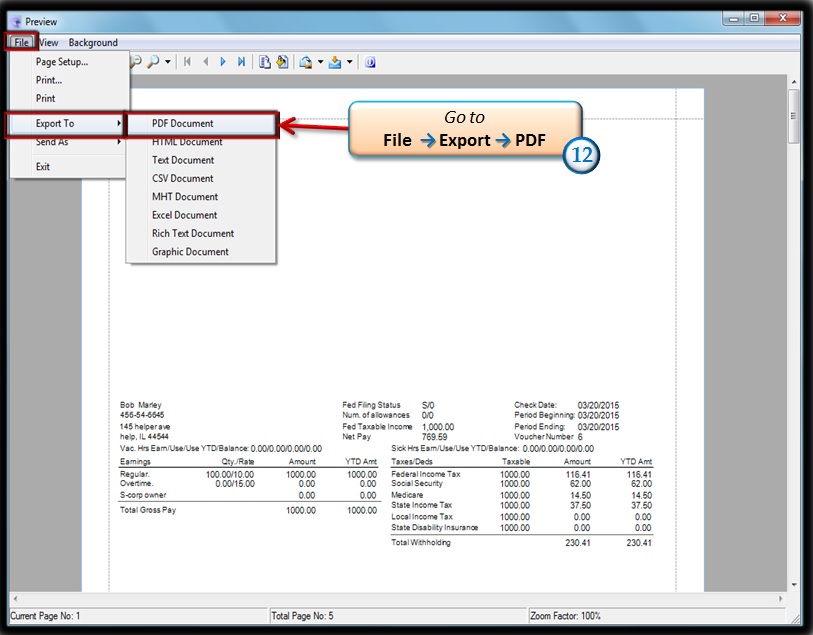
- Once the Preview of the Paystub appears, go to FILE → EXPORT→PDF.
- Select a location you want to save the Paystubs.
*Repeat Steps 6 through 13 for each employee*
**Once done create an email and attach the PDF**